1

Upload Images

📁
Click, drag & drop, or paste
(Ctrl+V / Cmd+V)
Upgrade to Basic, Pro or Premium to add multiple images

Supports JPG, PNG, GIF up to 10MB
2

Aspect Ratio

Select your preferred aspect ratio

3
You have 0 credits remaining

Preview

Your design will appear here

Crop Image

Crop preview
Design preview

Are you sure?

This action cannot be undone.

How to Use ReDesign?

1-) First, you can upload an image by clicking the upload button or by pressing Ctrl+V to paste an image copied from your browser.

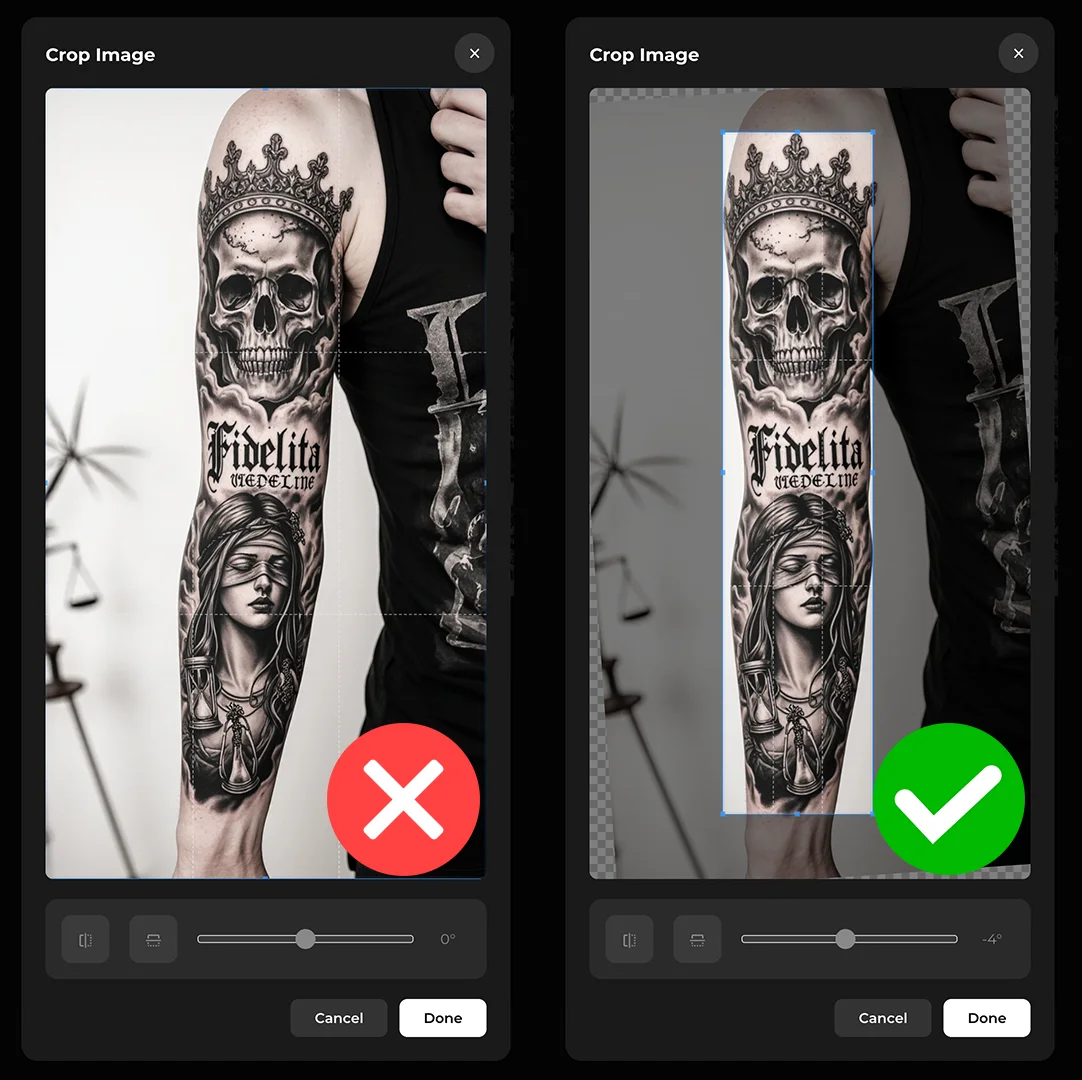
2-) In the cropping window that appears, you should properly adjust the angle and edges of the tattoo photo. See example below.

Uploading Multiple Images

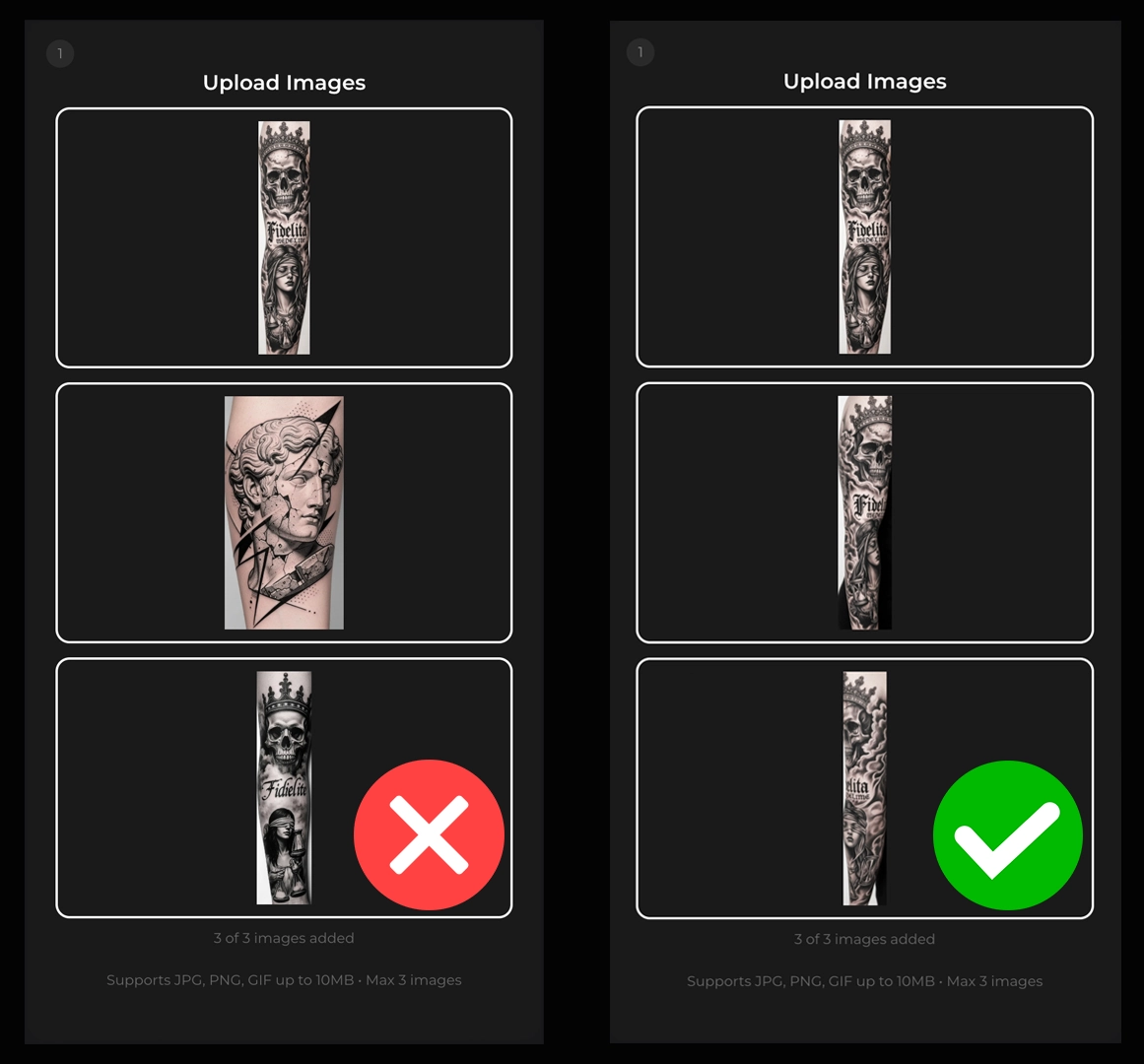
1-) Uploading multiple images does not mean the tool will create multiple designs. If you have photos of the same tattoo taken from different angles, uploading them will enable the ReDesign tool to produce a much more consistent design. This is why the multiple image upload feature exists. See example below.

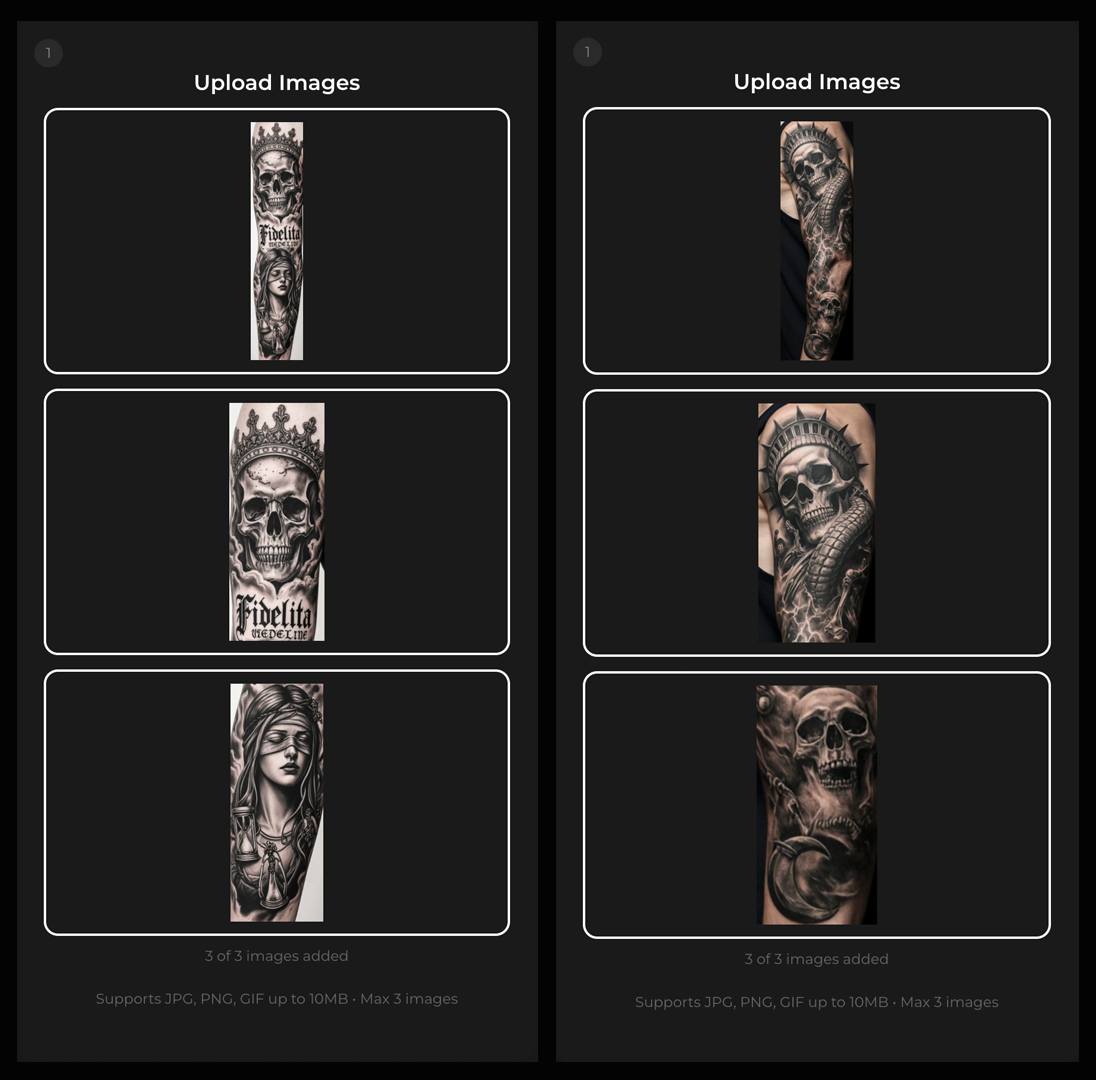
2-) You can also use the multiple image upload feature to capture the details of the tattoo more accurately. This will yield significantly better results. See examples below.

Sign-In or Create Account

To combat email fraud, you can only sign in or register with Google.