1

Upload Image

📁
Click, drag & drop, or paste
(Ctrl+V / Cmd+V)

Supports JPG, PNG, GIF up to 10MB

2

Stencil Style

Select your preferred stencil style

Classic

Classic

Clean, detailed lines

Shaded

Shaded

Hatching for tonal depth

More Styles Coming

More Styles

Coming Soon

3
You have 0 credits remaining

Preview

Your stencil will appear here

Color:

Are you sure?

This action cannot be undone.

How to Use Stencil Tool?

1-) First, the Stencil Tool is simpler to use compared to the ReDesign Tool.

2-) In the first step, you can upload the tattoo design you want to create a stencil for from your computer, or paste a design copied from your browser by pressing Ctrl+V into the upload area. In the next step, select the stencil style and click the Create Stencil button. It's that simple.

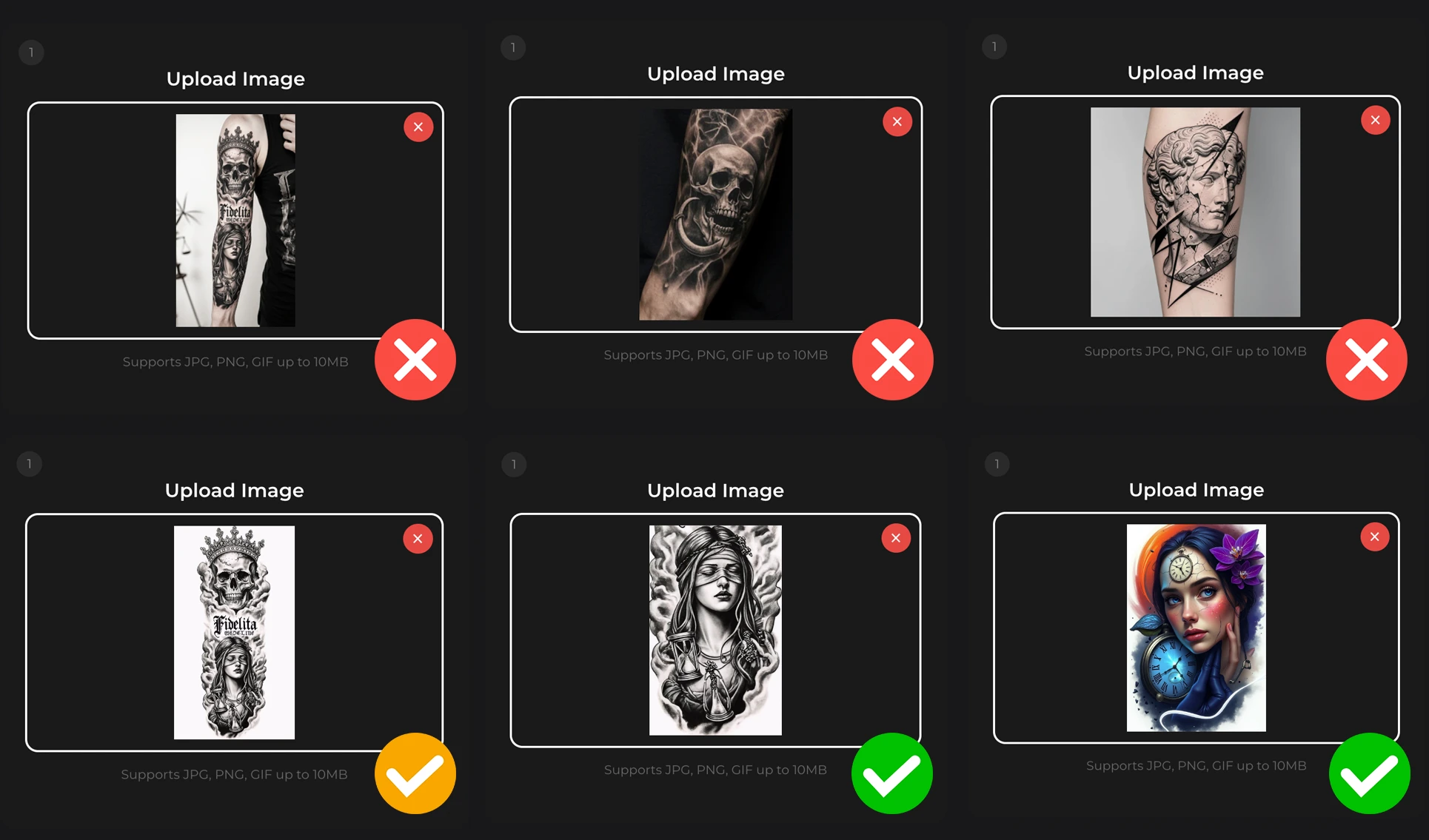
3-) The first thing you should know to get a good result: upload the design itself. A photo of a tattoo on someone's body may not produce the stencil you envision.

4-) If you care about details, full sleeve, leg, or back coverage designs containing multiple images may not produce stencils with the level of detail you desire. We recommend separating such multi-image designs using an image editing tool and creating stencils for each one individually. Please review the examples below before uploading.

Sign-In or Create Account

To combat email fraud, you can only sign in or register with Google.